Need help or have a question? We are here to help! To get your question answered quickly, please review the FAQs below. If you need help after reading our helpful answers below, then please reach out to hello@abbikirstencollections.com
FAQ
Here is a look at how to download from Google Drive and an updated look at uploading to Design Space.
VIP Access Pass holders will receive an exclusive account on our course platform with all the videos to watch on-demand, templates, and exclusive bonuses from our speakers.
If you have already purchased the pass, check your inbox for login details to your account (remember to check your spam and promotions folders). Here is a walk-through on how to set up a new account step-by-step - PLEASE watch the video in full.
If you do not see any emails, please reach out with your name and the email you used at purchase to hello@abbikirstencollections.com for assistance.
If you watch for free the week of the event, February 2-6, you get 24 hours to view that day's workshops and download the templates.
You still get 24 hours, no matter your time zone; please use a time zone converter to track the difference.
Those who own the VIP Pass are not limited by the free viewing period because they have purchased unlimited and lifetime access to everything at the Cricut Craftfest event.
You are, of course, welcome to watch the week of the event even if you have the VIP pass, but remember that you get all the same info inside the VIP pass but with lifetime access to view and rewatch any workshop, plus those extra bonuses.
All workshops will start at 9 am ET and be available for free until 9 am ET the following day.
If you are not in the Eastern time zone, you can use this converter to calculate your time difference.
You will get a full 24 hours to view the workshops for free, regardless of your timezone. Please use a converter to calculate the viewing period in your location.
The workshops are pre-recorded, so we can offer them for 24 hours and allow folks from all different time zones to view them! If you need support, you can join the FB group or reach out to our speakers personally by following them on their blogs.
This event is tailored to help Cricut owners master their machines.
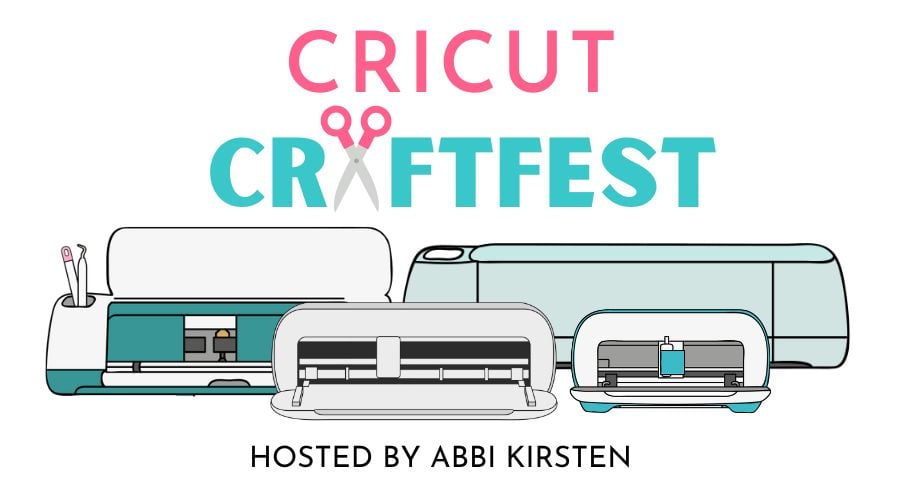
We recommend either owning a Cricut (Cricut Explore Air 2, Explore 3, Explore 4, Maker, Maker 3, Maker 4, Venture, or Cricut Joy/Joy Xtra) or being interested in purchasing one.
Some workshops do not require a cutting machine, and several workshops can be completed on other brands of machines, such as Silhouette or Juliet.
The event features all the current Cricut machine models - Cricut Explore Air 2, Explore 3, Explore 4, Maker, Maker 3, Maker 4, Venture and the Cricut Joy/Joy Xtra machines. The beauty of the event is that nearly all the craft workshops will work seamlessly with the various Cricut models, with a couple of exceptions.
The Cricut Joy/Joy Xtra machines face a few size limitations for certain crafts, but several workshops can be completed on these machines
Silhouette, Juliette, and Other Cutting Machines
Several workshops can be completed on these machines in addition to the Cricut models.
We've worked hard to bring you a wide variety of projects for this event while staying focused on helping even beginners understand the basics of each craft. You will find the following topics taught during the event.
- Vinyl projects
- Iron-on projects
- Infusible Ink
- Paper crafts
- Leather crafts
- Print then cut projects such as stickers and labels
- Design
- Organization
- And so much more!
Workshops are available for 24 hours for free. Each morning, links to the workshops are emailed out to your inbox by 9 a.m. ET. Please be sure to check your promotions and spam folders and drag any emails from Abbi Kirsten over to your primary inbox so you do not miss the workshop links.
You can also view the schedule here.
Watch this step-by-step video to learn how to upload files to Design Space on Desktop.
Watch this step-by-step video to learn how to upload files to Design Space on Mobile.
Yes! View our supply list page here for all the workshops!
Typically, each workshop is about 20-30 minutes in length. Our speakers will cover the project setup and the assembly process. Our amazing presenters have generously provided templates for their crafts, which will be cost-free for each workshop's free 24-hour viewing period.
No, the VIP Access Pass refers to accessing all Cricut Craftfest materials only. Abbi Kirsten's other products, courses, and access to previous events are sold separately. To clarify everything you will receive in the 2026 Cricut Craftfest VIP Pass...
Here is a recap:
- Instant on-demand access
- 40+ workshop videos by our summit speakers
- Workshop templates
- Printable guides for each project
- Printable supply lists
- $613 worth of speaker bonuses
- Lifetime access (you will never lose access to the workshops)
Each day of the event, an email with the workshop links will arrive in your inbox, so you can click over and watch your craft workshops. Please sign up for your free ticket to ensure you don't miss anything. Once you do, check your inbox and whitelist Abbi's email hello@abbikirstencollections.com by adding it to your email contacts, which ensures it will arrive in your primary inbox.
You can also get forever access with the VIP Pass and start watching early!
Just like with an in-person event, once the workshop has expired, we cannot reopen it, BUT you can purchase the VIP Access Pass and get access to all of the presentations, templates, bonuses, printable worksheets, supply lists, and more. The VIP Access Pass gives you lifetime access to watch and enjoy at your convenience!
Nope! You instantly have access to all the videos when you purchase the VIP Access Pass, and there is nothing different in the information shared in your pass versus the daily workshops.
In fact, if you own the VIP Access Pass, you get dozens of exclusive bonuses! That being said, we still encourage you to participate and enjoy all the creative energy!
We all process things differently when trying to learn something new, and I strongly recommend watching the workshop through once before trying a craft. Then when you are ready, start your craft while following the video; use the pause button to stop it when you need a moment to catch up or rewind the video to process the info again.
This event was created by Abbi Kirsten and is based on the Abbi Kirsten Collections' brand knowledge, projects, and opinions. The events are not endorsed by, owned by, directly affiliated with, authorized, or sponsored by Cricut, Inc.
All Cricut and Design Space products and company names are the registered trademarks of their original owners. The use of these trademarked names is for description and reference only. In no way does the reference to the Cricut brand imply any association with the trademark holder or their product brand.
In plain terms, Abbi Kirsten Collections and the event speakers love the Cricut brand and are eager to spread the joy of crafting to others by sharing our personal knowledge, designs, and projects!
How to Upload SVG Files to Cricut Design Space on Desktop
Note: The name of the event referenced in the videos below is different. The steps to download from Google Drive and general concepts are the same.
You can also see this new video on some minor design space changes in the upload process after watching the video below.
How to Upload SVG Files to Cricut Design Space on Mobile

Have a question about the event? Running into tech difficulties or just wanting to chat? Click the HELP icon at the bottom right to find useful answers or send a message directly.
Please check out the FAQ above before submitting your form to make sure your question hasn't already been answered.
You can also email us directly at hello@abbikirstencollections.com